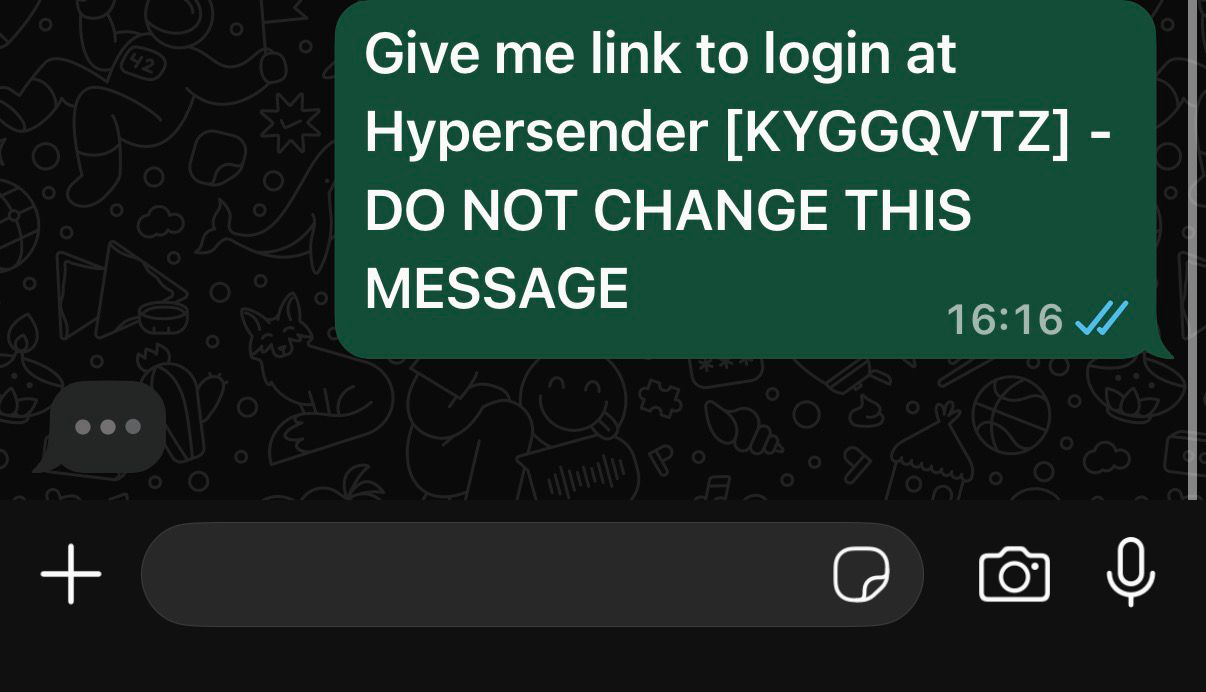
Create a passwordless flow: generate a WhatsApp link that pre-fills a message with a unique code. When the user taps Send in WhatsApp, you get the verification event via callbacks. Use the Laravel SDK method to keep things concise.
Parameters
| Field | Type | Required | Description |
|---|
| expires | int | no | TTL in seconds (default 1800). |
| name | string | no | Your app name displayed in messages. |
| message.prompt | string | yes | Text pre-filled in the WhatsApp link. |
| message.success | string | yes | Reply when verification succeeds. Use {link} placeholder. |
| message.failed | string | yes | Reply when verification fails. |
| message.expired | string | yes | Reply when the link expired. |
| callback.success | string | no | Webhook URL for successful verification. |
| callback.failed | string | no | Webhook URL for failed verification. |
Generate the link
use Hypersender\Hypersender;
$response = Hypersender::otp()->generateLink([
'expires' => 900,
'name' => 'YourApp',
'message' => [
'prompt' => 'Give me link to login at YourApp',
'success' => 'Welcome! Here is your login link: {link}',
'failed' => 'Login failed. Please try again.',
'expired' => 'This link expired. Request a new one.',
],
'callback' => [
'success' => 'https://yourdomain.com/api/otp/success',
'failed' => 'https://yourdomain.com/api/otp/failed',
],
]);
$whatsappLink = $response['whatsapp_link'] ?? null;
Send whatsappLink via email, SMS, or in-app notification. When the user clicks it, WhatsApp opens with the prompt + code. Handle callbacks to finalize the login.
Secure your callback endpoints (HTTPS + auth) and invalidate links after use.