

 MCP
Getting Started with Hypersender SDK
This guide will walk you through the process of installing and configuring the Hypersender Python SDK for your Python application, whether it is a Django, Flask, or FastAPI app or a simple script.Prerequisites
Before you begin, ensure you have the following:- Python 3.10 or higher: The SDK has a single dependency, httpx.
- pip (or uv, Poetry): For package management and dependency resolution
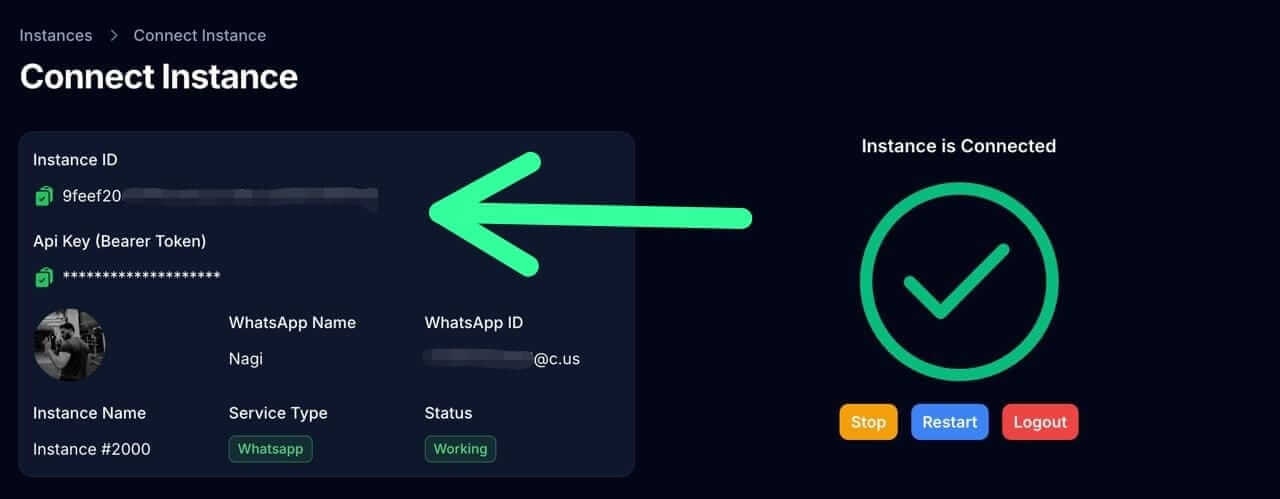
- Hypersender account: Sign up at Hypersender to obtain your API key and Instance ID.
Installation
1
Install the SDK via pip
Run the following command in your terminal to install the Hypersender Python SDK:
2
Configure Environment Variables
The SDK reads its credentials from environment variables, using the same names as the Laravel package. Set the variables for the APIs you use: WhatsApp, SMS, OTP, or any mix of them.
For WhatsApp API, set the following environment variables in your .env file:For SMS API, set the following environment variables in your .env file:For OTP API, set the following environment variables in your .env file:For Enterprise instance management (Enterprise accounts only), set:Python does not read
.env files on its own. Install python-dotenv (pip install python-dotenv) and call load_dotenv() before you create the client, or export the variables in your shell or hosting platform.3
Send your first message
Import
Hypersender, create a client, and call the API you need. The client picks up the environment variables when you create it.Configure in code instead of environment variables
If you can’t use environment variables, pass the credentials when you create the client:Hypersender(...) client for each one. Each client has the same whatsapp, sms, otp, and enterprise attributes.
You’re all set!
You have successfully installed and configured the Hypersender Python SDK in your application. You can now start using the SDK to send messages and manage your communications.- WhatsApp: Usage Guide
- WhatsApp bot: Build a WhatsApp bot in Python
- SMS: Usage Guide
- OTP codes (WhatsApp or SMS): OTP with Python
- WhatsApp OTP links: Generate a link with Python