PUT
/
{instance}
/
react-to-message
cURL
curl --request PUT \
  --url https://app.hypersender.com/api/whatsapp/v2/{instance}/react-to-message \
  --header 'Authorization: Bearer <token>' \
  --header 'Content-Type: application/json' \
  --data '
{
  "chatId": "[email protected]",
  "messageId": "<string>",
  "reaction": "<string>"
}
'
{
  "key": {
    "remoteJid": "<string>",
    "fromMe": true,
    "id": "<string>"
  },
  "message": {
    "reactionMessage": {
      "key": {
        "remoteJid": "<string>",
        "fromMe": true,
        "id": "<string>"
      },
      "text": "<string>",
      "senderTimestampMs": "<string>"
    }
  },
  "messageTimestamp": "<string>",
  "status": "<string>"
}
V2 Queued Response: All API requests in V2 are queued for improved reliability. Youโ€™ll receive an immediate response with a queued_request_uuid that you can use to check the actual message status.

Response Format

All requests return a queued response:
{
    "queued": true,
    "message": "Processing your request...",
    "queued_request_uuid": "a0816120-7e37-4e8b-8cf3-92deb2cdc133",
    "queued_request_link": "https://app.hypersender.com/api/whatsapp/v2/{instance}/queued-requests/a0816120-7e37-4e8b-8cf3-92deb2cdc133"
}
Use the queued_request_link or the Get Queued Request endpoint to check the actual message response once itโ€™s processed. More details on queued requests can be found in the Queued Requests Documentation.
Add a reaction to a message.
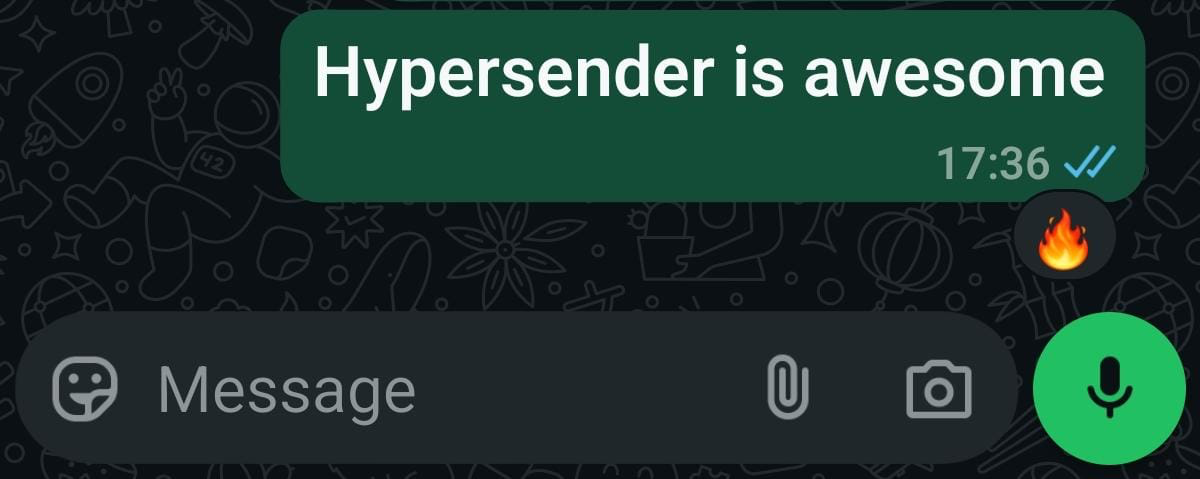
React to Message

Authorizations

Authorization
string
header
required

Bearer authentication header of the form Bearer <token>, where <token> is your auth token.

Headers

Accept
string
Example:

"application/json"

Content-Type
string
Example:

"application/json"

Path Parameters

instance
string
required
Example:

"{{ instance_id }}"

Body

application/json
chatId
string
required
messageId
string

Message ID

reaction
string

Reaction to add

Response

Successful response

key
object
message
object
messageTimestamp
string
status
string