POST
/
{instance}
/
send-voice
cURL
curl --request POST \
  --url https://app.hypersender.com/api/whatsapp/v2/{instance}/send-voice \
  --header 'Authorization: Bearer <token>' \
  --header 'Content-Type: application/json' \
  --data '
{
  "chatId": "[email protected]",
  "url": "<string>",
  "file": "<string>",
  "caption": "<string>",
  "reply_to": "<string>"
}
'
{
  "key": {
    "remoteJid": "<string>",
    "fromMe": true,
    "id": "<string>"
  },
  "message": {
    "audioMessage": {
      "url": "<string>",
      "mimetype": "<string>",
      "fileSha256": "<string>",
      "fileLength": "<string>",
      "seconds": 123,
      "ptt": true,
      "mediaKey": "<string>",
      "fileEncSha256": "<string>",
      "directPath": "<string>",
      "mediaKeyTimestamp": "<string>",
      "waveform": "<string>"
    }
  },
  "messageTimestamp": "<string>",
  "status": "<string>"
}
V2 Queued Response: All API requests in V2 are queued for improved reliability. You’ll receive an immediate response with a queued_request_uuid that you can use to check the actual message status.

Response Format

All requests return a queued response:
{
    "queued": true,
    "message": "Processing your request...",
    "queued_request_uuid": "a0816120-7e37-4e8b-8cf3-92deb2cdc133",
    "queued_request_link": "https://app.hypersender.com/api/whatsapp/v2/{instance}/queued-requests/a0816120-7e37-4e8b-8cf3-92deb2cdc133"
}
Use the queued_request_link or the Get Queued Request endpoint to check the actual message response once it’s processed. More details on queued requests can be found in the Queued Requests Documentation.
This specialized endpoint will allow you to send voice as if you were recording directly in the WhatsApp application.

You can send voice messages in two ways:

Provide a URL for the voice audio.
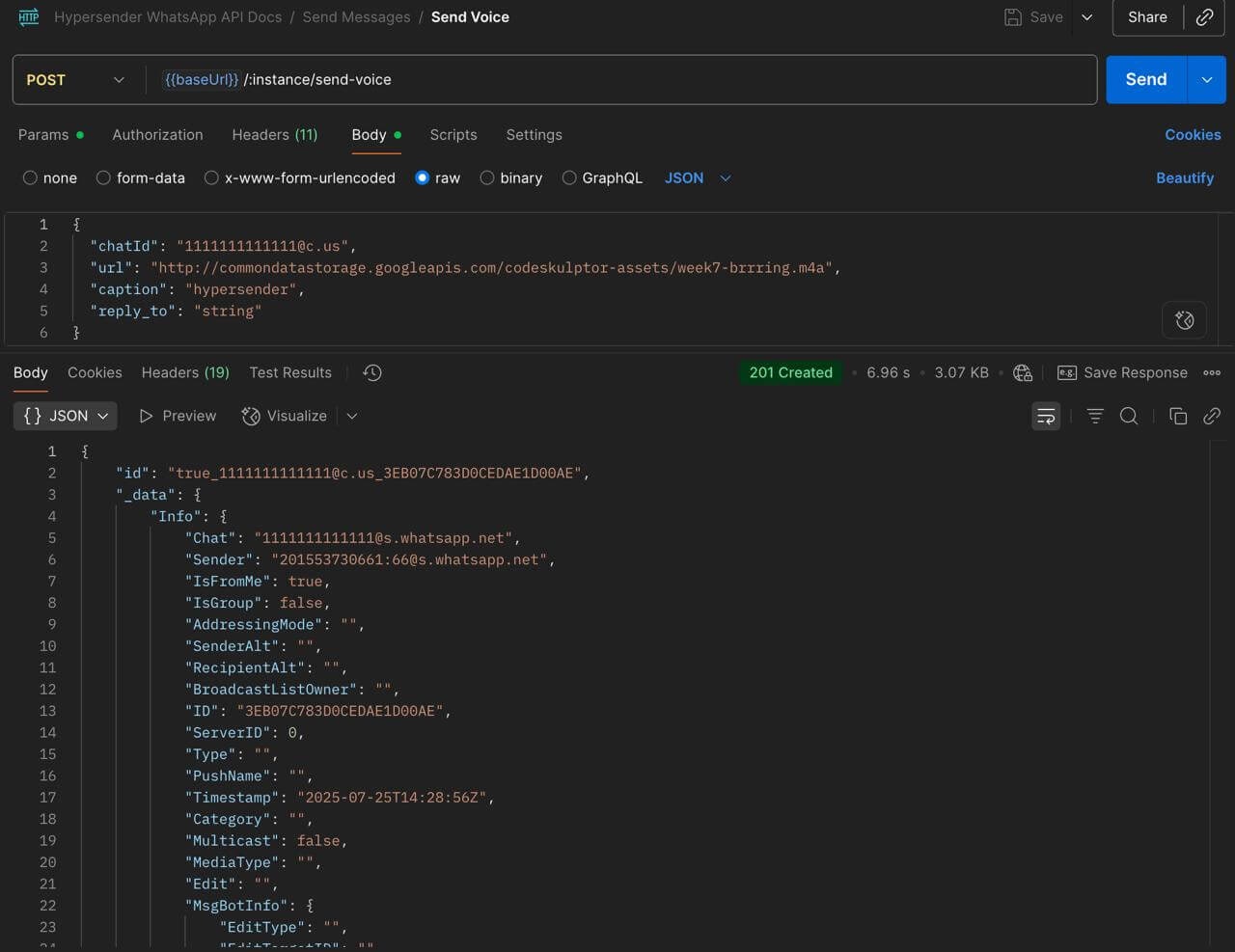
send-voice-url
Please note that the URL must be publicly accessible and not require any authentication or special headers to access the file.

Send the voice audio it self as a file upload.
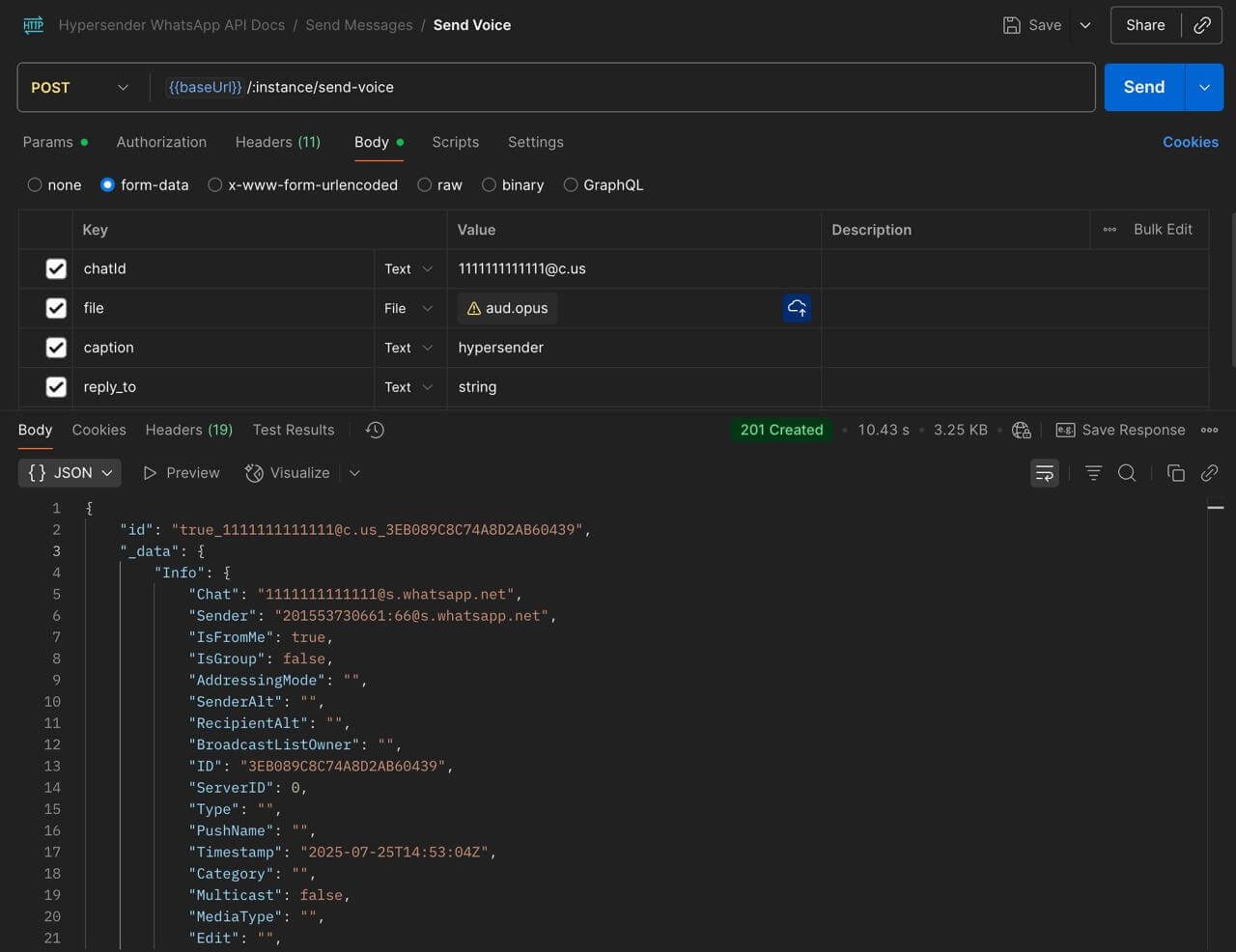
send-voice-file

send-voice-preview

Authorizations

Authorization
string
header
required

Bearer authentication header of the form Bearer <token>, where <token> is your auth token.

Headers

Accept
string
Example:

"application/json"

Content-Type
string
Example:

"application/json"

Path Parameters

instance
string
required
Example:

"{{ instance_id }}"

Body

application/json

Require to use multipart/form-data

chatId
string
required

Contact number - see chatId docs

url
string

url to send (required without file)

file
string

file to send (required without url)

caption
string

caption for the file

reply_to
string

reply to message id

Response

Successful response

key
object
message
object
messageTimestamp
string
status
string